
Building an AI chatbot with Python is one of the most rewarding projects for both beginners and experienced coders. Chatbots are everywhere—from customer service to virtual assistants—and learning how they work opens new opportunities. If you want to create your own AI chatbot but feel overwhelmed, don’t worry. This guide breaks everything into simple, clear steps that anyone can follow.
Step 1: Set Up Your Python Environment
You need a working Python installation. Most chatbots use Python 3.8 or above. Install Python from the official website and make sure pip is working. Next, install the libraries you need. The most common are nltk (Natural Language Toolkit) and ChatterBot for simple bots, or transformers for advanced AI.
pip install nltk chatterbot transformers
Many beginners forget to create a virtual environment. This keeps your chatbot project clean and avoids problems with other Python packages.
Step 2: Plan Your Chatbot’s Purpose
Before writing any code, decide what your chatbot will do. Will it answer common questions? Book appointments? Each goal needs different code and datasets. Write down common questions and answers your chatbot should handle. This simple step often saves hours of confusion later.

Credit: www.youtube.com
Step 3: Prepare The Data
A chatbot learns from examples. For a basic bot, you can use predefined questions and answers. For more advanced bots, you need a dataset. You can collect chat logs, FAQs, or use open datasets like the Cornell Movie Dialogs Corpus.
| Bot Type | Data Needed | Example |
|---|---|---|
| Rule-based | Intents, keywords | Hello → Hi there! |
| AI-based | Conversations | User: How are you? Bot: I'm fine. |
Step 4: Build A Basic Rule-based Chatbot
Start with a rule-based chatbot. This bot matches user input with a list of responses.
def chatbot_response(user_input):
if "hello" in user_input.lower():
return "Hi there!"
elif "bye" in user_input.lower():
return "Goodbye!"
else:
return "Sorry, I don't understand."
This is simple but limited. Many new developers stop here, but real chatbots need more power.
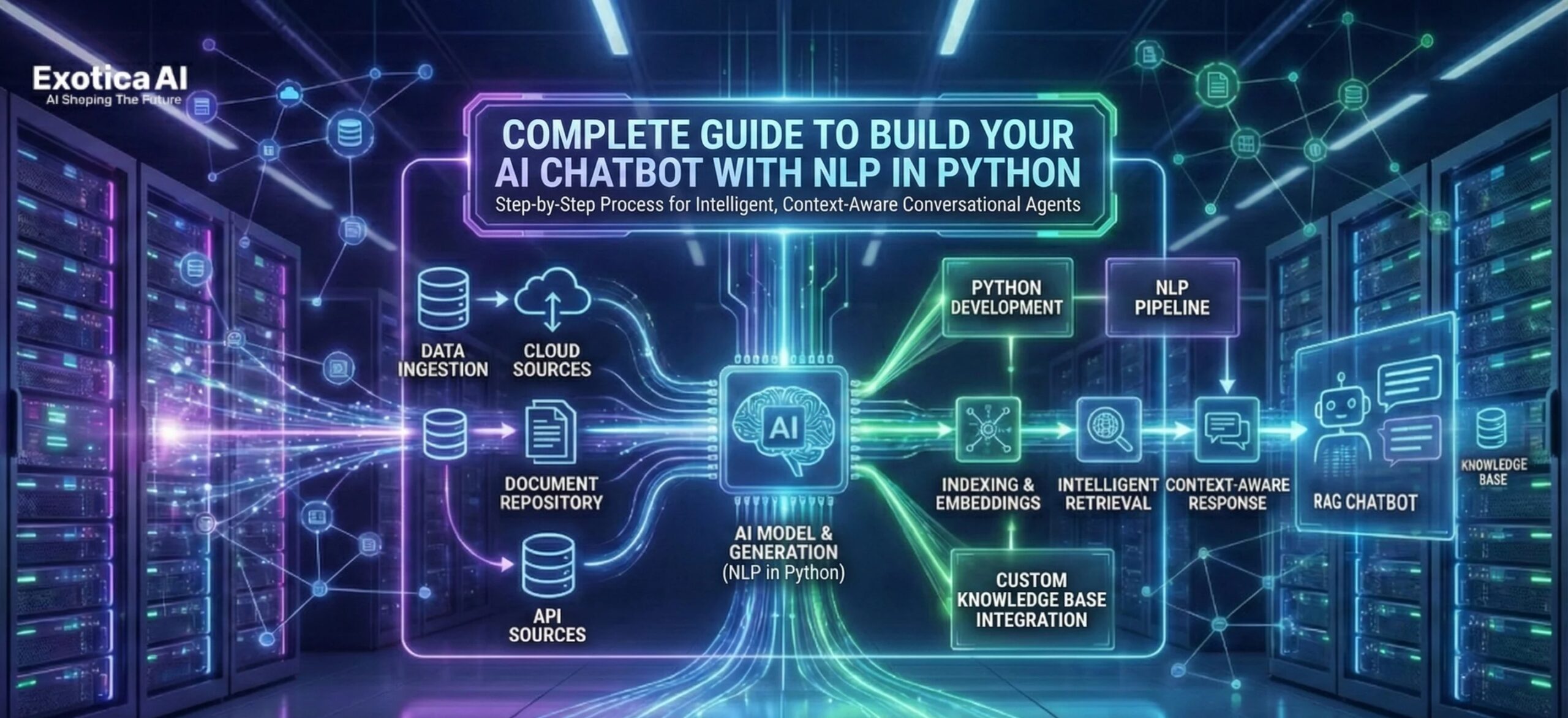
Credit: ai.exoticaitsolutions.com
Step 5: Add Natural Language Processing (nlp)
Use nltk to process text. Tokenization, removing stopwords, and stemming help your bot understand more variations.
import nltk
from nltk.tokenize import word_tokenize
nltk.download('punkt')
user_input = "How are you today?"
tokens = word_tokenize(user_input)
Most beginners skip text cleaning. This makes bots less accurate. Always clean and preprocess your text.
Step 6: Build An Ai-powered Chatbot
For smarter bots, use machine learning. The transformers library lets you use models like GPT-2 or BERT.
from transformers import pipeline
chatbot = pipeline("conversational", model="microsoft/DialoGPT-small")
response = chatbot("What is AI?")
print(response)
These bots understand context and can answer complex questions. But they need more memory and processing power.
| Approach | Pros | Cons |
|---|---|---|
| Rule-based | Easy to build | Limited understanding |
| AI-based | Flexible, smart | Needs more resources |
Credit: medium.com
Step 7: Test And Improve Your Chatbot
Test your bot with real users. Write down what works and what fails. Update your responses, add more data, or fine-tune your AI model. Many developers forget to test with real people—this is where you learn the most.
Step 8: Deploy Your Chatbot
You can run your bot on your computer, but most people deploy it to a website or messaging app. Use platforms like Flask for web or Telegram Bot API for messaging.
| Deployment Option | Best For |
|---|---|
| Flask/Django | Websites |
| Telegram API | Mobile users |
Two Insights Beginners Miss
- Continuous learning: Real AI chatbots get better over time by analyzing user feedback and updating their data. Set up logs and review them regularly.
- User experience matters: Simple things like greeting users, showing typing animations, or handling mistakes gracefully make your chatbot feel more human.
Building an AI chatbot is a journey. Start simple, learn from mistakes, and keep improving your bot. With Python and the right tools, anyone can bring their chatbot ideas to life.
Frequently Asked Questions
What Is The Best Python Library For Ai Chatbots?
ChatterBot is great for beginners. For advanced bots, use the transformers library with models like GPT-2. More info can be found at the Hugging Face Transformers site.
How Much Data Do I Need For An Ai Chatbot?
Rule-based bots need only a few sample questions. AI-based bots need thousands of conversation pairs for good results.
Can I Build A Chatbot Without Coding Experience?
Basic rule-based bots need little coding. But for AI bots, some Python experience is helpful.
How Do I Connect My Chatbot To A Website?
You can use Flask or Django in Python to turn your chatbot into a web service, then connect it to a web page using JavaScript or an API.
Is It Expensive To Run An Ai Chatbot?
Small bots are cheap to run. AI-powered bots using big models can need paid servers or cloud platforms if you get a lot of users.
With patience, practice, and the right tools, you can build a Python AI chatbot that stands out and keeps getting smarter.

.jfif)

.jfif)

 Posts
Posts





0 Comments